Free forever
Real phone system for home and hobby
QuikPBX Free gives you up to 5 extensions, 1 hosted DID, and 1 On-site PBX site — $0 from QuikPBX, no trial countdown. Start on your LAN with desk phones or QuikPBX Phone; add SignalWire when you want public numbers and PSTN.
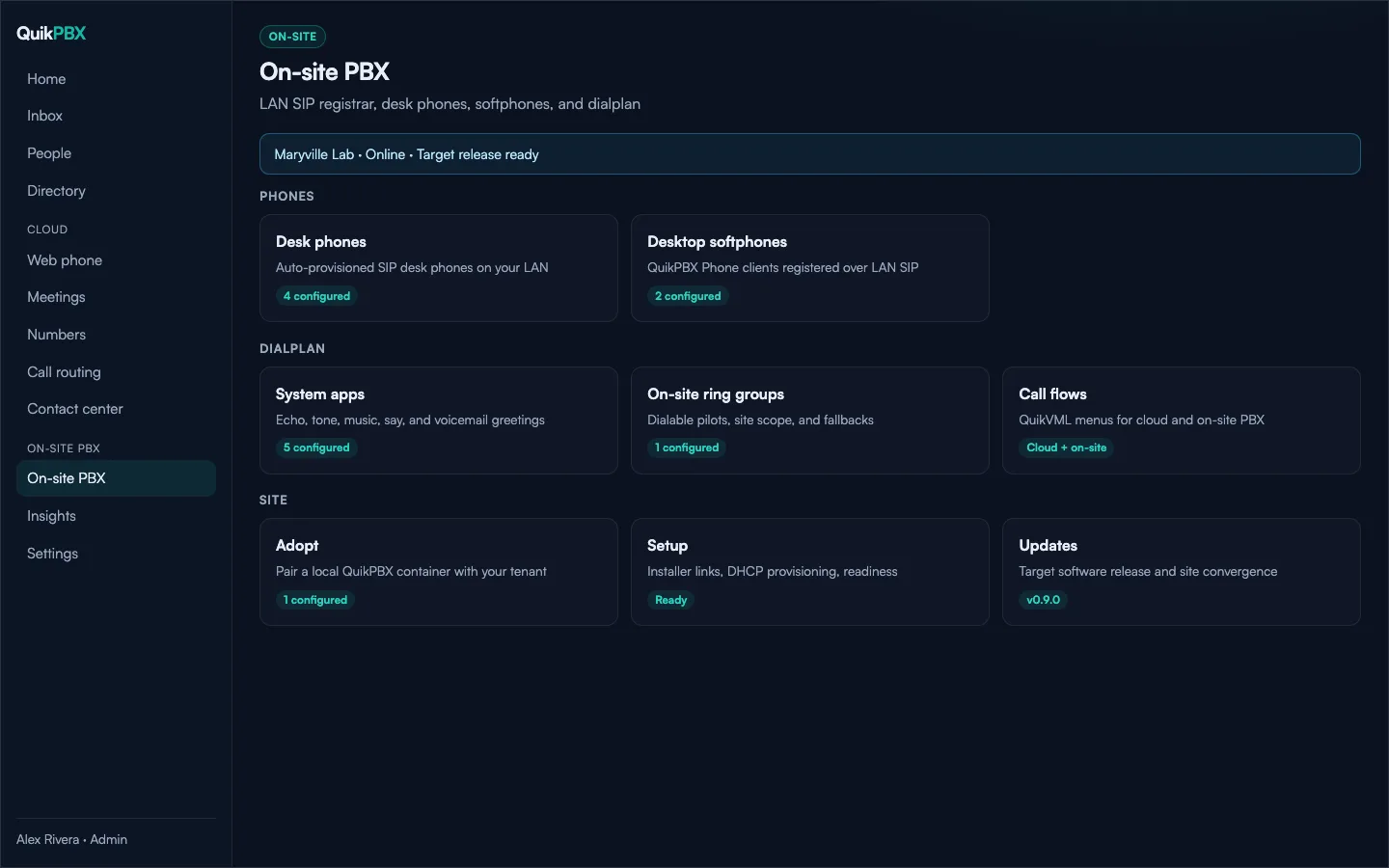
On-site first — the recommended Free path
Most home and hobby setups begin with On-site PBX: a small SIP server on your network that registers desk phones and the desktop softphone locally. You configure everything from the QuikPBX portal, but extension-to-extension calls stay on the LAN.
- Create a free account and add people with extensions.
- Adopt an On-site PBX site (one site on Free).
- Provision Yealink or other SIP desk phones, or install QuikPBX Phone.
- Optionally connect your SignalWire project for 1 DID and cloud web phone.
Need a walkthrough? Read the free home PBX guide.
What's included
5 extensions
Enough for a household, home lab, or micro office — people, voicemail, and routing.
1 On-site PBX site
LAN SIP, desk-phone provisioning, and softphone updates from your edge cache.
1 DID
One hosted number when you connect BYO SignalWire within plan limits.
Portal control plane
One place for Cloud and On-site — no second vendor portal when you grow.
Not included on Free
Stay on Free until you need these — then upgrade self-serve under Settings → Billing.
- Call recording
- Contact-center queues
- AI receptionist
- More than 5 extensions, 1 site, or 1 DID
- SignalWire minutes and number fees (billed to your SignalWire project, not QuikPBX)
Frequently asked questions
- Is QuikPBX Free really free forever?
- Yes. The Free plan stays at $0 with no time limit — up to 5 extensions, 1 hosted DID, and 1 On-site PBX site. You only pay QuikPBX when you upgrade for paid features like call recording, queues, or AI.
- Do I need SignalWire on Free?
- No for On-site PBX. Desk phones and QuikPBX Phone register on your LAN without SignalWire. Connect your own SignalWire project when you want a public DID, web phone, or PSTN — minutes and number fees bill to your SignalWire account.
- What is included on Free?
- People and extensions, basic routing and voicemail, one On-site PBX site, desk-phone provisioning, and QuikPBX Phone updates from your LAN edge cache. Cloud web phone works once SignalWire is connected within plan limits.
- What is not included on Free?
- Call recording, contact-center queues, AI receptionist, extra extensions beyond five, more than one On-site site, or more than one DID. Those unlock on paid plans via Settings → Billing.
- Where should I start — Cloud or On-site?
- Most Free users start On-site: adopt an On-site PBX site, add extensions, and register desk phones or QuikPBX Phone on the LAN. Add Cloud and SignalWire later when you need hosted numbers or browser calling.
Ready to set up your free PBX?
Create an account in minutes — no credit card required for Free.